Website: https://www.coolmuster.com/gif-animator.html
Giveaway: https://www.coolmuster.com/giveaway/gif-animator.html
Download: https://www.coolmuster.com/giveaway/gif-animator.html
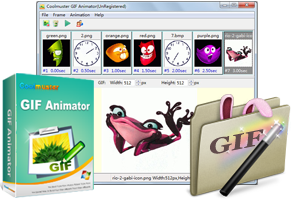
Coolmuster GIF Animator is a software program designed to create and edit animated GIF images from various image formats. Here's a breakdown of its functionalities and some things to consider to help you decide if it's a good fit for your needs:
Core functionalities of Coolmuster GIF Animator:
Import Images: Supports importing images in various formats like JPG, PNG, BMP, and even existing GIF files.
Create Animation Sequence: Allows you to arrange the imported images in the desired order to create the animation sequence.
Frame Rate and Timing: Enables you to adjust the frame rate (speed) of the animation and set timings for each frame if needed.
Output Customization (Depending on the Version): Some versions might offer additional options to customize the output GIF, such as:
Resize the animation
Adjust image quality
Add text overlays
Alternatives: There are several free and open-source software options, as well as online tools, that offer similar functionalities to Coolmuster GIF Animator. Here are a few examples:
Free Software:
GIMP (open-source): https://www.gimp.org/ (GIMP is a powerful image manipulation program with animation capabilities)
Microsoft Photos (built-in to Windows 10 and 11): https://support.microsoft.com/en-us/office/make-an-animated-gif-from-a-slide-show-a598753e-92de-4f1b-8393-714db4d334b4 (Offers basic GIF creation functionalities)
Online Tools:
Ezgif: https://ezgif.com/
Giphy: https://giphy.com/ (While Giphy is primarily a platform to discover and share GIFs, it also offers a tool to create simple GIFs)
I’ve tried a few GIF makers over the years and always end up going back to simpler online options rather than installing desktop software. The giveaway angle is tempting though, especially for quick frame timing tweaks. I remember comparing similar tools on Image to Image a while back, and honestly for most casual projects a browser-based tool does the job fine.
Coolmuster GIF Animator is a solid pick for stitching images into animated sequences, and the frame timing controls make it easy to fine-tune the result. If your workflow involves voiceover or narration for those GIFs, it’s worth checking out Dessa AI — a browser-based voice studio for real-time spoken conversations and natural text to speech with WAV download, billed by the second with no subscription required.
This explains the basics without talking down to the reader. It is the kind of detail that usually gets left out. If you play roguelike survivors, pokerivals game is worth a look.
Coolmuster GIF Animator looks like a handy tool for assembling images into animated sequences, and the frame timing controls are a nice touch. For anyone working with photo-based visuals, it’s worth pairing that kind of editing workflow with something that can actually transform the content itself—like turning a regular photo into a realistic bikini shot while keeping the pose and scene intact. That’s exactly what AIBikini does, and it’s a fun next step after you’ve got your frames ready.
thanks
Nice find! After creating GIF animations, compression is key. I recommend also trying gifspeed.com — lossless compression that reduces file size by up to 70%. Free and browser-based.
Useful breakdown, especially the part near the end. Hope you keep writing about this. Also worth checking out for fun: ai creative platform.
This is a fantastic find! I’m always on the lookout for tools that simplify creative tasks, and Coolmuster GIF Animator seems incredibly user-friendly for making animated GIFs. The breakdown of its functionalities is really helpful, especially knowing it supports various image formats and allows for frame rate adjustments. It’s also great that you mentioned alternatives like GIMP; it’s always good to have options depending on specific needs or preferences. Thanks for sharing this giveaway – sometimes, investing a little time in a new tool can really pay off, much like how planning for the future with a Savings Calculator can make a big difference! I’ll definitely check it out.
This looks like a fantastic giveaway! Coolmuster GIF Animator seems incredibly handy for anyone looking to create or edit animated GIFs, especially with its support for various image formats. I appreciate the breakdown of its core functionalities like importing images, arranging sequences, and adjusting frame rates. It’s always great to see tools that simplify creative tasks. For those of us who appreciate efficiency in digital work, exploring such applications can be as beneficial as using a reliable TVM Calculator for financial planning – each helps streamline specific processes. Thanks for sharing this opportunity!
This is a fantastic find! I’m always on the lookout for user-friendly tools to create GIFs, and Coolmuster GIF Animator sounds like it hits all the right notes with its import options and animation sequence capabilities. It’s especially helpful to see the breakdown of core functionalities, as that really helps in deciding if it’s the right fit. It’s also great to know about alternatives like GIMP, but sometimes a dedicated tool just makes the process smoother. For anyone needing to quickly combine various images into a single file, finding the right tool is key – and when you’re done creating animated GIFs, you might even want to look into other tools that can help you Merge Image files for different projects. Thanks for sharing this giveaway!
This is fantastic! Thanks for highlighting the Coolmuster GIF Animator giveaway. As someone who frequently works with visuals, having a tool that makes creating and editing GIFs straightforward is incredibly helpful. The breakdown of its core functionalities like importing various image formats and controlling frame rates is super useful for anyone considering it. It’s also great that you mentioned alternatives like GIMP for those who might be looking for other options. This kind of detailed look at software and its capabilities really makes a difference when I’m trying to decide what tools to use for my projects, whether it’s for animations or even figuring out how to use an Image Splitter for larger graphics.
This is fantastic news! A free giveaway for Coolmuster GIF Animator 2.0.31 sounds like an excellent opportunity to dive into GIF creation. The breakdown of its functionalities is super helpful, especially knowing it supports various image formats and allows for frame rate adjustments. It’s always great to find tools that simplify the animation process, whether for quick memes or more elaborate projects. Thanks for sharing the links – I’m definitely going to check this out! It reminds me a bit of the creative freedom you get with tools like Al Cartoon Video Generator, which also makes visual storytelling accessible.
This is fantastic news! A free giveaway for Coolmuster GIF Animator 2.0.31 is a real treat, especially with its features for importing various image formats and customizing animation sequences. It’s always great to find tools that make creating GIFs straightforward. I’m definitely going to check out the giveaway link. While GIMP is a powerful alternative, sometimes a dedicated, user-friendly tool like this is exactly what’s needed for quick and easy GIF creation. It’s almost like converting an image to a more dynamic format, much like how an AI Image to Line Converter might transform a static picture into something new. Thanks for sharing!
This is a fantastic find! I’m always on the lookout for user-friendly tools to create animated GIFs, and Coolmuster GIF Animator sounds like a great option, especially with the giveaway link. The breakdown of its core functionalities, like importing various image formats and controlling frame rate, is super helpful. I appreciate the mention of alternatives too – it’s good to know what else is out there, but I’ll definitely be checking this one out first. Sometimes, when working with visual content, it’s nice to have a straightforward tool that helps get the job done efficiently, much like how a square feet calculator simplifies area measurements. Thanks for sharing this!
This is a fantastic rundown of Coolmuster GIF Animator! It’s great to see a clear breakdown of its core functionalities, especially the import options and frame rate adjustments. The mention of output customization depending on the version is also very helpful. I particularly appreciate you including alternatives like GIMP; it really shows a balanced perspective and helps users consider all their options. Thanks for sharing this useful information – it’s a great resource for anyone looking to create or edit GIFs, especially since creating large posters often involves high-quality images and precise editing, much like what Block Poster Maker is useful for.
This is a fantastic find! I’ve been looking for a straightforward GIF animator, and Coolmuster GIF Animator 2.0.31 seems to hit all the right notes, especially with the giveaway link provided. The breakdown of its functionalities like importing various formats and customizing frame rates is really helpful. It’s great to see a tool that supports existing GIFs too. I appreciate the mention of alternatives like GIMP for those who might need more advanced features, but for simple and effective GIF creation, this looks perfect. Thanks for sharing this – it’s always useful to have reliable software options, just like how essential a good ba ii plus calculator is for quick financial analysis.
Thanks for the review of Coolmuster GIF Animator. It’s always useful to know about different options for creating GIFs. The list of alternatives like GIMP and online tools is also very helpful. I appreciate the detailed breakdown.
Good article. The ideas in “Free Coolmuster GIF Animator 2.0.31 | NET-LOAD” connect well with what I have been researching recently.
Discover roadsterai.org
I appreciate how the post keeps things simple and specific. Small details like these save a lot of trial and error. If you like trying new tools, teslaflyingcarai.com is an easy one to start with.
The piece highlights Coolmuster GIF Animator’s ability to convert images from multiple formats into animated GIFs, which is genuinely useful for quick edits. The version number 2.0.31 suggests a minor update, so I’d be curious whether frame timing or export quality changed. For anyone repurposing stills into short loops, hotel lobby ai video offers a fitting next step.
The article on Coolmuster GIF Animator 2.0.31 focuses on a tool for creating animated GIFs from various image formats. It mentions the version number in the title, which suggests a specific update or release. The description highlights editing capabilities, but leaves out details like supported export settings or frame timing. For a similar step-by-step approach to animated assets, see how to play azeroth survivors.
Good article. The ideas in “Free Coolmuster GIF Animator 2.0.31 | NET-LOAD” connect well with what I have been researching recently.
About vectorcraft.online
The article centers on Coolmuster GIF Animator 2.0.31 and its ability to build animated GIFs from multiple image formats. It notes features like frame-by-frame editing and export options, which give users control over timing and looping. A tool this focused makes me think about how GIF animation keeps evolving in unexpected directions. zombie ai trend
The review of Coolmuster GIF Animator 2.0.31 highlights its ability to import various image formats and assemble them into animated GIFs. It’s useful that the article mentions editing options like frame duration and loop settings, which matter for fine-tuning output. The focus on a free version also makes the tool accessible for quick, casual projects. For a similar photo-to-video approach, i feel like nicole ai video offers a streamlined path.
The review walks through Coolmuster GIF Animator 2.0.31 with a version number that suggests a long-running desktop tool rather than a web app. It notes that the program handles several image formats for building animated GIFs, which keeps the workflow offline and local. That focus on a downloadable editor makes the free browser-based alternative worth considering for a lighter option: download azeroth survivors.
The review of Coolmuster GIF Animator 2.0.31 walks through its frame-by-frame editing and format support, which is useful for anyone making short loops from stills. It notes the version number clearly, so readers know exactly which build is being discussed. The focus stays on the software’s practical editing steps rather than vague praise. For a similar free browser title with a WoW theme, play azeroth survivors is worth a look.
The article introduces Coolmuster GIF Animator 2.0.31 as a tool for creating and editing animated GIFs from multiple image formats. Its focus on frame-by-frame editing and export options makes it useful for anyone assembling short looping visuals. The version number suggests a maintained product rather than a one-off utility, which matters when animation projects require consistent output. For similar browser-based survival action with automatic attacks and upgrade choices, play poke survivor free offers a quick alternative.
Nice to read something that gets to the point without the filler. Looking forward to more posts in this direction. For a quick creative break, ozil goal ai turns a single photo into a short clip.
The article presents Coolmuster GIF Animator 2.0.31 as a tool for building animated GIFs from various image formats, though the version number in the title suggests a specific release rather than a broad overview. It notes that the software handles multiple input types, which matters for anyone converting stills into short looping visuals. That framing makes the tool feel practical for basic animation tasks, even if the piece stays brief on editing depth. For a similar photo-to-motion idea, gas station dance ai trend covers the latest short-video style.
The article covers Coolmuster GIF Animator 2.0.31 and its ability to turn different image formats into animated GIFs. It notes the tool supports editing frames and adjusting playback settings, which matters for anyone working with short looping visuals. That focus on frame-by-frame control is a useful reminder that simple animation still depends on clean source images and timing. A similar photo-to-motion approach appears in pumpkin head photoshoot.
Coolmuster GIF Animator 2.0.31 stands out for supporting multiple image formats as input, which makes assembling frames far less tedious than starting from a single file type. The ability to edit existing animated GIFs, not just create new ones, addresses a gap many basic tools ignore. Version 2.0.31 suggests steady refinement rather than a major overhaul. For anyone exploring motion-based image tools, the ai zombie trend follows a similar logic of turning stills into playful animated results.
Coolmuster GIF Animator 2.0.31 sounds like a practical option for turning image sequences into animated GIFs without needing separate frame-timing tools. The article notes support for multiple image formats, which matters when source files come from different cameras or design exports. Its editing features seem aimed at basic timeline adjustments rather than advanced compositing, so expectations should stay modest. For anyone exploring quick animated loops, gas station dance offers a comparable photo-to-video approach.
The article highlights Coolmuster GIF Animator 2.0.31 as a tool for creating animated GIFs from various image formats. It emphasizes the software’s capability to edit and produce animations efficiently without requiring advanced technical skills. This functionality appeals to users seeking straightforward solutions for dynamic visual content creation on their devices. For similar AI-driven video generation, check lil durk king von back again ai.
The article highlights Coolmuster GIF Animator as a practical tool for converting static images into animated sequences. Its ability to handle various image formats makes it a versatile option for users seeking straightforward editing capabilities without complex workflows. While traditional software focuses on frame-by-frame control, newer trends favor quick, automated video generation from single photos. This shift towards instant meme creation is well supported by rumpelstiltskin ai.
This is a neat tool for making GIFs! I’ve been playing around with creating some simple animations myself lately, and I found that I often end up discussing similar things over on the Choicer Voicer game. It’s always interesting to see different approaches to the same creative process.
Good article. The ideas in “Free Coolmuster GIF Animator 2.0.31 | NET-LOAD” connect well with what I have been researching recently.
Take a look at animezerocodes.net
Thanks for the clear feature summary. Separating image ordering from frame-rate and per-frame timing controls is useful when comparing GIF tools, and the list of alternatives adds helpful context.
Thanks for breaking down image importing, sequence ordering and frame timing in Coolmuster GIF Animator. Those are useful distinctions when choosing an animation workflow. For a playful photo-to-video project with dancing dogs, readers may also explore put a ring on it ai
This looks pretty neat for making custom GIFs! I’ve been using tools like the Flash avatar maker to get those retro pixel art vibes for my profile pics lately.
This looks super useful for making quick GIF animations! I’m always looking for ways to spice up my AI art, and I get a lot of my prompt ideas from Banana Prompts.
This looks super handy for quick animations! I’ve been dabbling in short video creation with AnimeVolt and something like this could really help with those little visual flourishes.
This looks like a neat little tool for quick GIF creation! Though honestly, for more complex animations or even just refining image sequences, I usually just jump into PixMelody and leverage its GPT Image 2 capabilities.
This looks like a fun tool for making GIFs! I’ve been using AI tools like MorphPhoto for my images, so it’s interesting to see other creative software out there.
This looks super handy for quick animations! I’m always looking for tools to spruce things up, even for my professional profiles after getting my AI-generated headshots from HeadshotBook.
This looks like a neat tool for creating GIFs! I often use AVIF to WebP to get my images ready for web, so this could be a good next step for animations.
This looks super cool for making fun GIFs! I’ve been using Refini to help with unblurring old photos lately, so I’m always on the lookout for other neat image tools.
Good article. The ideas in “Free Coolmuster GIF Animator 2.0.31 | NET-LOAD” connect well with what I have been researching recently.
A look at diyhomerenovation.com
Good article. The ideas in “Free Coolmuster GIF Animator 2.0.31 | NET-LOAD” connect well with what I have been researching recently.
WoW Forever Talent
The article is a useful introduction to Coolmuster GIF Animator and where to find the current giveaway and download details. For anyone preparing animated images for a site, it also helps to check the frame dimensions and file size before publishing.
The breakdown of Coolmuster GIF Animator is helpful, especially the notes on arranging imported images and adjusting frame timing. Preparing source frames at consistent dimensions can make an animation much easier to edit. Before importing PNG frames, I use 画像サイズ変更 画質 そのまま to keep their sizes aligned.
Airline management sims usually ignore the human chaos factor, but this co-op concept sounds like a refreshing twist. Balancing passenger service while cargo physics go haywire could create some genuinely funny group moments. The 2026 timeline gives the devs room to polish that. Curious how the crew roles will actually divide duties here. The dear passenge concept seems worth following.
For a simple animated GIF, the order of frames is only one part of the result. It also helps to plan a consistent canvas size, decide the frame delay before importing everything, and test whether the movement still reads clearly when the file is small. Support for common image formats makes that preparation easier, especially when combining assets from different sources. A short preview loop can reveal awkward transitions before export.
It’s helpful that the article points out free alternatives like GIMP and Ezgif alongside the giveaway. The frame-by-frame timing control seems like the real differentiator — for anyone making simple image-sequence animations, at what point do those free tools fall short enough to justify a dedicated GIF animator?
The editing breakdown here is really helpful for anyone planning a showreel. For creators who don’t have footage yet, using faceless video to generate a 9:16 draft is a smart way to test pacing and music before committing to the final cut. It’s a good starting point for that visual rhythm.
Readable content usually improves when revision starts with structure instead of sentence-level polishing. Check whether the headline promise is answered early, whether repeated points can be combined, and whether examples clarify rather than interrupt the argument. 1 is relevant to that stage because a rewritten draft should remain easy to edit for a specific audience and brand voice. The last pass should always verify claims, names, dates, and any wording that could sound more certain than the evidence allows.
For document reuse, the choice of output format affects how much work comes next. A 1 that produces editable Markdown can make it easier to reorganize headings, preserve lists, and prepare material for a knowledge base without signing up or uploading the file to the application server. Text PDFs and clear English scans are the most appropriate inputs. It is still important to compare the result with the original where there are tables, side-by-side columns, diagrams, or unusual typography.
A good revision process makes AI-generated text more usable without disguising uncertainty or changing the writer’s core message. It helps to read the draft aloud, check whether each paragraph has a clear purpose, and confirm that idioms work in the chosen language. 1 can support that stage by producing a more natural draft for review. Editorial responsibility remains with the person deciding what the text finally says.
For learners, 1 works best when the output is more than a row of dots and dashes. Being able to copy a result, hear its timing, and consult a character chart turns a quick conversion into a small practice loop. Downloadable text or audio can also make it easier to prepare exercises without repeatedly recreating the same message.
Payroll becomes less error-prone when the process is designed around a clear calendar, a single source of employee data, and a documented approval step. 1 is a helpful resource for teams that need plain-language material before formalizing those routines. The key is to separate recurring inputs from exceptions, assign ownership for each, and keep a short record of changes. That creates a process people can review without relying on memory.
People looking to save authorized audio often need a simple process rather than a collection of extra utilities. Keeping conversion and download on one page makes the task easier to understand and reduces unnecessary decisions. A 1 option should state what users can expect from the output and remind them to use links only where they hold the needed rights or permission. That combination of clarity and boundaries is more useful than vague promises.
Great read and very thorough breakdown regarding Free Coolmuster GIF Animator 2.0.31. The practical insights shared here are super valuable! (50103)
Text fields often collapse ordinary spaces, so a visually empty result needs more care than simply pressing the spacebar. A browser-based helper that lets people set a length and inspect what will be copied gives the process a useful checkpoint. When 1 is needed for a legitimate formatting task, checking the pasted result first can prevent confusing submissions and makes the intended input easier to reproduce.
Visual text styling is most effective when readers can still recognize the words immediately. Using it for a signature line, a creator name, or a compact caption can create contrast, whereas applying it everywhere can make a page feel crowded. 1 supports a simple compare-and-select workflow for Unicode cursive options, helping writers keep the decorative element secondary to the actual message.
Math symbols create small but persistent formatting problems because the same character may need different representations in a document, a webpage, or a formula editor. A compact reference such as 1 is useful when it puts the copyable glyph alongside its Unicode value and practical code forms. The most helpful distinction is between approximate equality and nearby relation marks, since substituting a visually similar symbol can change the intended meaning. Clear input-method notes would also help readers move from identifying the mark to actually using it on their device.
Visual consistency is often what makes short-form posts feel intentional. Reusing a limited set of markers for headings, lists, or recurring series gives followers a familiar cue without requiring a full graphic template. The important part is restraint: symbols should clarify hierarchy, not compete with the message. 1 can be especially helpful for creators who want lightweight formatting that remains usable in captions, comments, and profile text.
Characters that look almost identical often create avoidable formatting problems. A list marker, a mathematical operator, and a decorative circle can each have a different code point and a different visual result across apps. Keeping a clear reference for copy and paste symbols is useful when preparing web copy, captions, checklists, or classroom material. 1 helps narrow the choice by grouping common dot styles according to their intended use.
Time limits work best when setting them takes less effort than remembering them. A 1 in the browser can cover short breaks, focused work blocks, cooking steps, or study sessions without adding another account or app to manage. Being able to choose hours, minutes, and seconds matters for both quick and longer intervals. Pause, resume, and reset controls also make the timer practical when plans change, while an end sound provides a clear cue to switch tasks.
Supporting JPG, PNG, BMP, and existing GIF files makes the import stage flexible, but sequence planning is just as important as format compatibility. Before arranging frames, users could create a simple 1 that identifies the opening frame, key transitions, and final loop point. It would also be useful to check whether the editor offers per-frame timing, preview controls, resizing, and output optimization, since those features strongly affect both animation quality and file size. A short example comparing a smooth loop with an abrupt one would make the overview even more actionable.
Does this release add any new export presets for social media formats like vertical 9:16, or is it mainly a stability update over the earlier 2.0 builds?
Good article. The ideas in “Free Coolmuster GIF Animator 2.0.31 | NET-LOAD” connect well with what I have been researching recently.
Good article. The ideas in “Free Coolmuster GIF Animator 2.0.31 | NET-LOAD” connect well with what I have been researching recently.
What a neat giveaway! It’s always great to find tools that spark creativity and help bring ideas to life. Thanks for sharing this!
Thanks for sharing this! Coolmuster GIF Animator sounds like a useful tool, especially for people who need a straightforward way to create GIFs. I appreciate the breakdown of its functionalities and the mention of alternatives like GIMP. It’s helpful to have options to compare and see what best fits my needs. The information about frame rate and timing control is particularly interesting. I might give it a try!
Nice find. I hadn’t heard about Coolmuster GIF Animator before, but it looks like a straightforward tool for creating animated GIFs from image sequences. The ability to import multiple formats like JPG, PNG, BMP, or existing GIF files and arrange them as frames makes it useful for quickly turning a set of pictures into a simple animation.
What caught my attention is the built-in editor that lets you adjust frame timing, reorder frames, and preview the animation in real time before exporting. For people who want to create basic GIFs without using heavier software, that kind of simple workflow—add images → set the delay → export—can save a lot of time.
I sometimes use a similar approach when preparing short visual guides. I export a few screenshots, arrange them into a sequence, and then fine-tune the timing between frames so the steps are easier to follow (in my case I occasionally tweak the frame delay with gifspeed.com before sharing the final animation).
One small tip that helps when creating GIF animations: try to keep the number of frames focused on the key action instead of including every screenshot. A shorter, well-timed loop often looks clearer and keeps the file size smaller when sharing it online.
Nice find! After creating GIF animations, compression is key. I recommend also trying gifspeed.com — lossless compression that reduces file size by up to 70%. Free and browser-based.
1 year trial