Homepage: https://www.anymp4.com/video-converter-ultimate/
Giveaway: https://www.anymp4.com/special/gotd/video-converter/
Download:
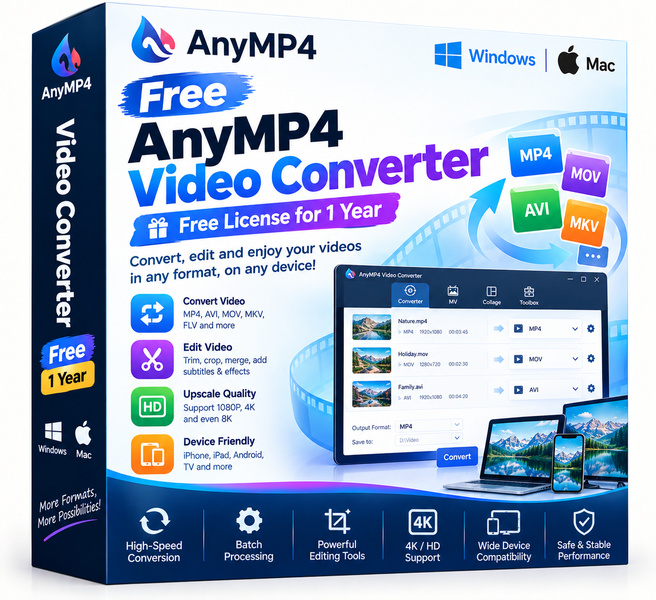
If your video files refuse to play on the device or platform you need, AnyMP4 Video Converter is the straightforward fix you have been looking for. Usually a paid product, this converter is available at no cost through today's deal, giving you professional-grade video conversion without spending a cent. It handles a wide range of input and output formats, works on standard home computers, and does not demand a steep learning curve to get results you can actually use.
Key features
- Broad format support: Convert between MP4, MKV, AVI, MOV, WMV, FLV, and dozens of other popular video and audio formats with ease.
- Fast conversion engine: Hardware acceleration keeps processing times short, even when you are working with large or high-resolution video files.
- Output quality control: Adjust resolution, bitrate, frame rate, and audio settings so the finished file matches exactly what your device or platform requires.
- Batch conversion: Queue up multiple files at once and let the software process them all in one run, saving you time on bigger projects.
- Built-in video editing tools: Trim clips, crop the frame, add watermarks, and merge separate files before you convert, all inside the same window.
- Device presets: Ready-made profiles for smartphones, tablets, smart TVs, and game consoles take the guesswork out of picking the right settings.
- Clean, beginner-friendly interface: The layout is uncluttered and logical, so first-time users can complete a conversion in just a few clicks.
Who is it for
AnyMP4 Video Converter suits a broad range of everyday users. Home video enthusiasts who record on phones or cameras will appreciate how quickly they can reformat footage for sharing or archiving. Students and remote workers who receive video files in unfamiliar formats will find the device presets and format library solve compatibility headaches without any research. Content creators who need to prepare clips for different platforms, from YouTube to Instagram to local playback, will value the batch processing and the light editing toolkit built right in. The software is also a solid pick for older or less tech-savvy users who simply need something that works the first time, every time, without configuration menus that feel like a manual.
How it compares
- HandBrake: A well-respected open-source converter that offers deep encoding controls, but its interface is intimidating for beginners and it lacks a built-in batch queue as polished as AnyMP4's.
- Freemake Video Converter: Popular for its simple drag-and-drop workflow, though the free version adds a branded watermark to output files, which limits its usefulness for serious work.
- VLC Media Player: Primarily a media player that also converts, making it a decent emergency option, but its conversion settings are buried and the process is not intuitive for non-technical users.
- FFmpeg: Extremely powerful and completely free, but it is a command-line tool with no graphical interface, putting it well out of reach for most casual users.
- Movavi Video Converter: A polished commercial product with a clean interface and fast speeds, but it requires a paid license for full functionality and watermark-free output.
- Wondershare UniConverter: Feature-rich with added tools like a downloader and burner, making it heavier and pricier than most users actually need for straightforward format conversion.
AnyMP4 Video Converter sits in a comfortable middle ground: more polished and user-friendly than HandBrake or FFmpeg, and more capable than VLC's hidden converter. The buyer who will get the most value here is someone who wants a clean, reliable desktop converter with light editing features and no recurring subscription, claimed free while this deal is live.