Website: https://www.ascompsoftware.com/index.php?php=prog&prog=pdfimager
Buy Ascomp Products 40% OFF Use Coupon Code: 4ABL-ZTTL-58AS-8EH1-A38
Giveaway: https://www.ascompsoftware.com/fullversion/?l=SAI2N-P7M7J-PPUA9-TLAPC
Giveaway: https://www.ascompsoftware.com/fullversion/?l=2RR2C-I41T2-44GWV-CHIP
Giveaway: https://www.ascompsoftware.com/fullversion/?l=FMYYD-M3YRD-N3PIZ-ONSALE
Giveaway: https://www.ascompsoftware.com/fullversion/?l=PQZ5U-YTS9B-BDEIT-PCPRO
Giveaway: https://www.ascompsoftware.com/fullversion/?l=YBQSB-EUBRU-QWK9M-PCWELT
Giveaway: https://www.ascompsoftware.com/fullversion/?l=FMYYD-M3YRD-N3PIZ-ONSALE
Giveaway: https://www.ascompsoftware.com/fullversion/?l=196Y7-STRH7-BMAT6-SFROG
Giveaway: https://www.ascompsoftware.com/fullversion/?ref=a38&l=USSBD-MZT3K-5VE5C-ONSALE
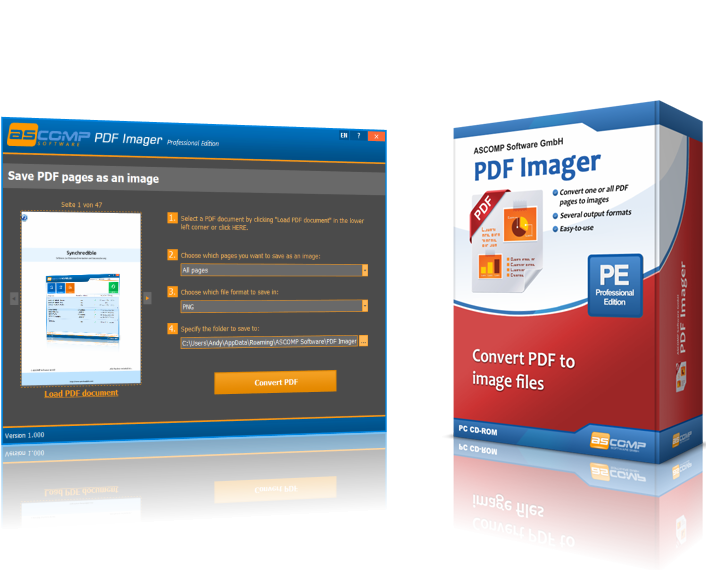
Anyone who should ever sign a PDF document knows the problem: How do I convert a PDF into an image file so that I can insert my signature graphic in Paint or Photoshop at the desired location?
With PDF Imager, this is child's play! The software converts one or, if desired, all pages of the selected PDF document into an image file. The most common image formats are supported. In addition to BMP, JPEG and PNG, EPS, GIF and TIFF are available as target formats.
PDF Imager is characterized by its simple and intuitive interface – you save valuable time when converting your PDFs!
Giveaways like this are how I end up with half the PDF tools on my laptop — I claimed a similar key last year and mostly use it to split and merge pages now. A free license is fine, I just like to know whether it keeps working once the year runs out.
What I actually needed this week was smaller: my son’s school consent form had to come back as one PDF under 2 MB, and the photo I took on my phone was 6 MB and a bit crooked. I opened lensup.ai in a tab, dragged the four corners straight, picked the size the portal asked for and saved it. The compression aims at the number you choose, so it can land slightly over — I had to nudge it once. Files never leave the device, which matters to me on a form with his address on it.
cool this one still works.
https://www.ascompsoftware.com/fullversion/?l=YBQSB-EUBRU-QWK9M-PCWELT
ASCOMP PDF Imager Pro 2.000 Retail + Portable valid 2023/09/02
https://oxy.cloud/d/SjCe
PDF Imager Professional v1.000 FULL retail > 2023 y.
https://oxy.cloud/d/iKze