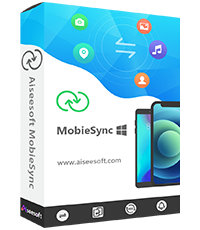
Website: https://www.aiseesoft.com/mobiesync/
Giveaway:
Download: mobiesync-gotd.exe – mirror
Managing files across your smartphone and computer has never been particularly fun, but Aiseesoft MobieSync 2.5.62 changes that in a big way. This polished desktop application gives you a clean, intuitive dashboard for moving virtually any type of data between iOS and Android devices and your Windows PC. Whether you are decluttering your phone, backing up precious memories, or reorganizing your media library, MobieSync handles it all without the usual headaches of cables, cloud restrictions, or clunky third-party workarounds.
Key Features
- Two-way file transfer: Move photos, videos, music, contacts, messages and documents freely between your mobile device and PC in either direction.
- iOS and Android support: One tool covers both major platforms, so you are not locked into separate apps depending on which phone you use.
- One-click backup: Create a full device backup to your computer quickly, giving you a reliable local copy of everything that matters.
- Smart file preview: Browse and preview your photos, music tracks and videos directly inside the app before deciding what to transfer or delete.
- Duplicate file detection: MobieSync identifies duplicate items during transfers so your library stays clean and your storage space is not wasted.
- Contact and message management: View, export and organize contacts and SMS messages right from the desktop interface, making it easy to keep records or migrate to a new device.
- Fast USB and Wi-Fi connectivity: Connect your device via a USB cable for maximum speed or wirelessly over your local network for cable-free convenience.
Who Is It For
Aiseesoft MobieSync is a great fit for a surprisingly wide range of users. Everyday smartphone owners who want a reliable, fuss-free way to back up photos and free up storage will find the clean interface approachable from day one. Content creators and photographers who shoot on mobile and edit on desktop will appreciate the fast, batch-transfer workflow that eliminates the tedious process of emailing files to themselves or wrestling with cloud storage limits. People switching phones, whether jumping from Android to iOS or the other way around, get a practical migration assistant that handles contacts, media and messages without relying on manufacturer tools that often fall short. Finally, small business users and remote workers who need a dependable local backup strategy, away from subscription-based cloud services, will value having full control over where their data lives. In short, if you own a smartphone and a Windows PC, MobieSync fills a real gap in your everyday digital toolkit.
I’ve been dealing with the same file transfer headaches described here, so I’m definitely keeping MobieSync in mind. On a related note, I actually found FluxDream AI super helpful for cleaning up the photos before I back them up; it’s a free online tool that lets you remove unwanted objects or even turn photos into cartoons instantly without any downloads. If anyone wants to do quick photo editing alongside their sync routine, I’d highly recommend checking it out. FluxDream AI
stolen from giveawayoftheday.com so won’t be live for too long…