Homepage: https://www.aiseesoft.com/total-video-converter.html
Giveaway:
Download: total-video-converter-gotd.exe
The coupon is applied after clicking Checkout.
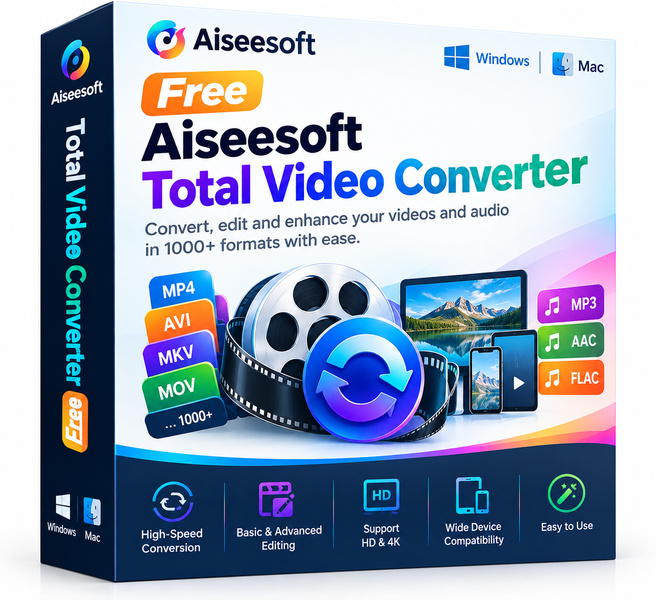
Aiseesoft Total Video Converter is a full-featured desktop utility that lets you convert video and audio files across more than 1000 formats without sacrificing quality. Whether you need an MP4 for your phone, an MKV for your media player, or an MP3 ripped from a video clip, this tool covers it all from a clean, approachable interface. Normally a paid product, it is being offered here completely free for a limited window, making this one of the more practical software giveaways you will find this season.
Key features
- Massive format library: Supports 1000-plus input and output formats including MP4, AVI, MKV, MOV, WMV, FLV, MP3, AAC and more.
- Batch conversion: Queue up multiple files and convert them all in one run, saving hours of repetitive work.
- GPU acceleration: Takes advantage of your graphics card to speed up encoding dramatically compared with CPU-only tools.
- Built-in video editor: Trim, crop, rotate, merge clips and add watermarks or subtitles before converting.
- Device presets: One-click output profiles optimised for iPhones, Android phones, iPads, Smart TVs and gaming consoles.
- Audio extraction: Pull the audio track from any video and save it as MP3, FLAC, WAV or other popular audio formats.
- Lossless quality mode: Converts files while preserving original resolution and bitrate so footage stays sharp.
Who is it for
Aiseesoft Total Video Converter is a strong fit for a wide range of everyday users. If you fall into any of the groups below, this giveaway is worth claiming right now.
- Home video enthusiasts who want to archive old camcorder footage or reformat family videos for modern devices.
- Content creators who receive raw footage in mixed formats and need a fast, reliable way to standardise everything before editing.
- Students and educators who download lecture recordings or tutorials and need them in a format that plays offline on any device.
- Casual users who simply want one dependable tool instead of hunting for online converters every time a format mismatch comes up.
How it compares
- HandBrake: The most popular free, open-source converter, known for excellent H.264 and H.265 encoding, but it has a steeper learning curve and lacks a polished built-in editor.
- Freemake Video Converter: A beginner-friendly free option with a simple interface, but the free version adds a watermark and the format support is narrower than Aiseesoft's library.
- Any Video Converter: A long-standing freeware tool that handles common formats reliably, yet its editing features are basic and batch performance lags behind GPU-accelerated alternatives.
- VLC Media Player: Widely used for playback and capable of basic conversion through its transcode menu, but it is not designed as a dedicated converter and lacks presets, batch queuing and editing tools.
Aiseesoft Total Video Converter sits in the sweet spot between the raw power of HandBrake and the simplicity of consumer tools, offering GPU speed, a proper editor and device presets in one place. It is the right pick for users who want serious format coverage and a guided interface without wrestling with technical settings.
Bottom line
Aiseesoft Total Video Converter packs a genuinely useful set of features into a tidy package, and getting it for free removes the only real barrier to trying it. If your workflow involves video in any capacity, even occasionally, this is a giveaway worth adding to your toolkit before the window closes.